
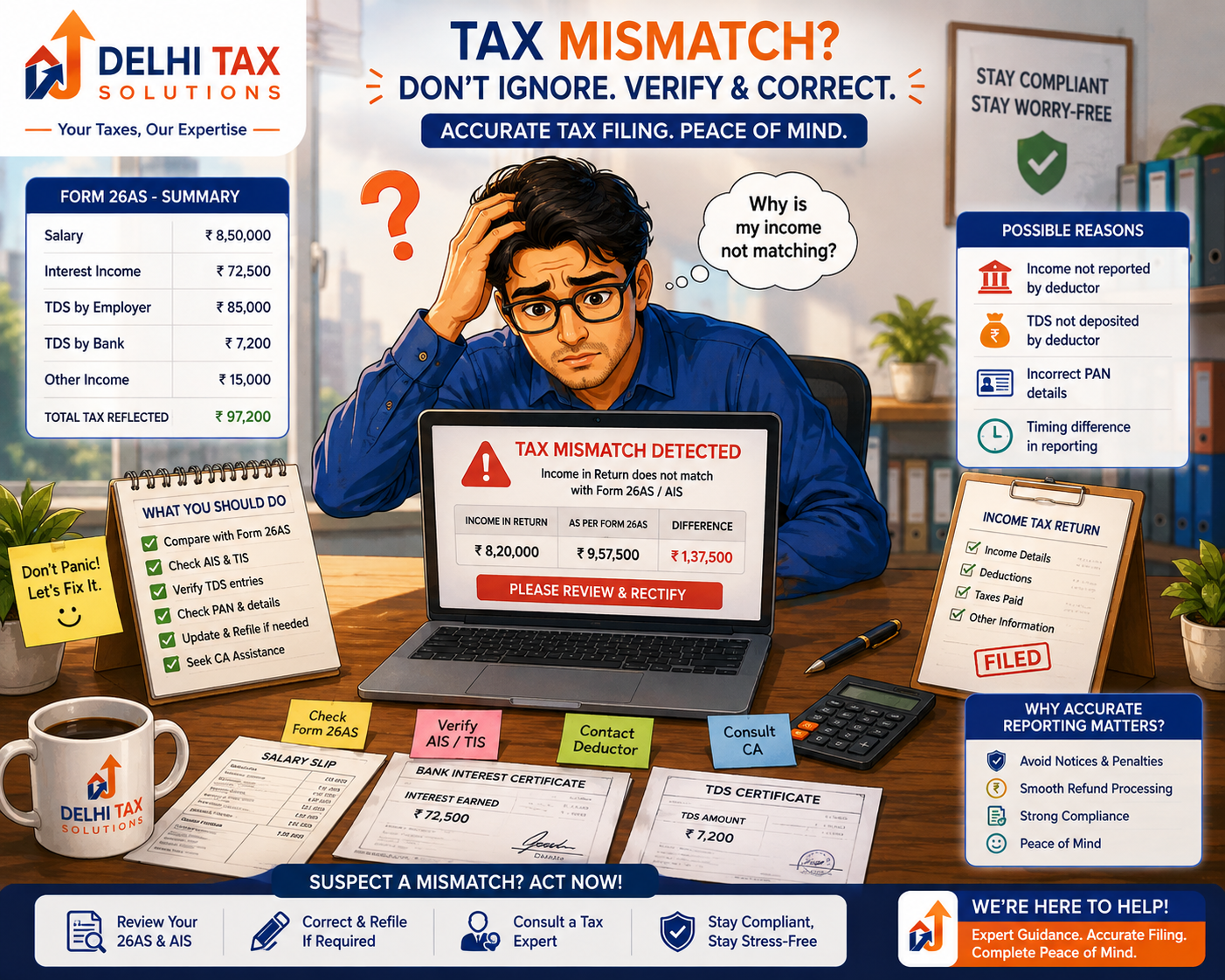
💡 Key Takeaways
- A mismatch between 26AS and ITR triggers automated scrutiny notices from the tax department.
- TDS mismatches frequently delay tax refunds and result in underreporting demands.
- Employers or banks failing to deposit deducted taxes cause credit discrepancies.
- Taxpayers must reconcile Form 26AS and AIS data before submitting annual returns.
- Rectification under Section 154 or revised filing corrects existing reporting errors.
Filing your annual tax return gives a sense of relief, but discovering a sudden discrepancy alert can cause instant panic. Facing a mismatch between 26AS and ITR is one of the most common tax hurdles faced by Indian taxpayers today. When figures reported by employers or banks do not match your declared numbers, automated systems flag your submission immediately.
The Central Processing Centre of the Income Tax Department uses advanced data matching algorithms to cross-verify every rupee declared. If your Form 26AS shows higher tax credits or income than your tax return, automated notices follow swiftly. Understanding why these discrepancies occur helps you protect your refunds and stay compliant.
This comprehensive guide breaks down the core causes of tax mismatches, statutory implications, and exact steps to correct reporting errors. Master the reconciliation process to ensure your financial filings remain flawless.
What happens when there is a mismatch between 26AS and ITR?
A mismatch between 26AS and ITR triggers an automated discrepancy notice from the Income Tax Department under Section 139(9) or Section 143(1). The tax department cross-verifies your declared income against government databases. If the tax credit claimed in your return exceeds what is recorded in your tax ledger, your refund gets withheld. You face demands for unpaid taxes, interest, and potential penalties for underreporting income unless you reconcile the figures quickly.
Why does a TDS mismatch notice occur during processing?
Tax processing systems rely on matching data reported by third parties against your tax profile. A TDS mismatch notice occurs when the tax deduction details submitted by your employer or bank do not mirror the numbers in your tax return. These discrepancies often stem from delayed deductor filings, quoting incorrect Permanent Account Numbers, or booking errors.
Employers deduct Tax Deducted at Source (TDS) monthly but may commit reporting errors when filing quarterly statements. If your employer deducts ₹50,000 from your salary but deposits it under a slightly mistyped PAN digit, the government database records zero credit for you. When you claim that ₹50,000 credit in your return, CPC Bangalore flags the difference instantly.
According to updates from the Income Tax Department, automated matching engines cross-reference Form 26AS and the Annual Information Statement (AIS) against your Income Tax Return (ITR). Taxpayers managing freelance gigs or business ventures must coordinate their compliance carefully. Reviewing your tax ledger before filing prevents unnecessary scrutiny.
Common triggers for credit discrepancies
Bank fixed deposits, mutual fund capital gains, and professional fees generate separate tax deductions. If a financial institution files its quarterly TDS return late, the credit fails to reflect in your Form 26AS by the filing deadline. Consequently, claiming that credit in your return triggers an automatic mismatch alert.
How to correct 26AS mismatch before getting penalized?
Learning how to correct 26AS mismatch errors requires contacting your deductor and updating official records. You cannot edit Form 26AS directly; only the deductor who filed the TDS statement can amend it by filing a revised quarterly return. Prompt action prevents prolonged refund delays and statutory interest charges.
First, download your updated Form 26AS and AIS from the tax portal. Identify the exact transaction or employer causing the variance. Contact the deductor’s finance or payroll team immediately and provide your correct PAN and Challan Identification Number. Once the deductor submits a corrected TDS statement, the updated credit reflects in your portal within a few weeks.
Managing corporate compliance and TDS reporting requires expert oversight. Businesses scaling operations through proper Company Registration must maintain rigorous accounting standards to eliminate deductor reporting errors completely.
Step-by-step deductor correction workflow
If your deductor agrees to correct the error, they must file a revised Form 24Q or 26Q. They will provide you with a revised Form 16 or Form 16A. Once updated, you can file a revised tax return or submit a rectification request online.
| Discrepancy Source | Common Root Cause | Corrective Action Required |
|---|---|---|
| Employer TDS Mismatch | Typo in PAN during quarterly filing | Ask employer to file revised 24Q return |
| Bank FD Interest | Interest reported in AIS but missed in ITR | File revised ITR including missing interest |
| Missing Tax Credit | Deductor deposited tax late under challan | Verify challan details and request update |
| Advance Tax Discrepancy | Incorrect BSR code or challan serial number | Submit online rectification request |
⚡ Quick Summary
You cannot fix Form 26AS yourself. Your employer or bank must file a corrected TDS return to update the tax credit in the government database.
Dealing with an income tax notice for AIS mismatch
The introduction of the Annual Information Statement expanded data tracking across financial transactions. Receiving an income tax notice for AIS mismatch means the department detected a gap between your reported income and third-party financial records. AIS tracks high-value transactions, share trades, dividend payouts, and foreign remittances.
Taxpayers often omit dividend income or savings bank interest earned across multiple accounts. When the tax portal aggregates these figures, any omission stands out. You must log into the compliance portal, review the specific feedback options, and submit your response electronically.
The Press Information Bureau frequently highlights enhancements in data analytics used by tax authorities to widen compliance nets. Freelancers and small businesses must ensure their GST Registration turnover matches their income tax declarations to avoid multi-departmental scrutiny.
Submitting online feedback on AIS
If the AIS report contains an error—such as duplicate transactions or a transaction belonging to another family member—you can submit online feedback directly on the portal. Select options like “Information is not fully correct” or “Duplicate entry” and provide brief clarifications.
How statutory differences impact tax refunds and audits
Unresolved discrepancies carry serious financial consequences. When your return gets flagged for a data gap, your tax refund remains frozen indefinitely. Furthermore, failing to respond to statutory notices within the stipulated 30-day window invites penalty proceedings under Section 270A for underreporting income.
Taxpayers must also monitor their overall Income Tax health by cross-checking deductions and exemptions. Our CA team at Delhi Tax Solutions regularly assists clients in rectifying defective returns under Section 139(9) and drafting precise responses to tax notices.
Maintaining accurate TDS records protects individuals and corporate entities from unexpected tax demands. According to guidelines issued by the Reserve Bank of India, transparent financial record-keeping ensures smooth banking interactions and hassle-free tax processing.
Rectification under Section 154
If CPC Bangalore processes your return with a calculation error or ignores a valid tax credit already visible in Form 26AS, you can file a rectification application under Section 154 of the Income Tax Act. This legal remedy allows the department to correct apparent mistakes on record quickly without initiating fresh audit proceedings.
Navigating tax discrepancies demands vigilance and prompt action. Always reconcile your Form 26AS and Annual Information Statement before submitting your annual return. Promptly addressing mismatch notices prevents frozen refunds and statutory penalties.
Talk to a Delhi Tax Solutions expert to get your tax filings audited and mismatch notices resolved professionally. Secure your financial records and ensure complete peace of mind today.
About this article: Researched using official government sources and Delhi Tax Solutions’ in-house tax advisory team. Last updated August 2026.
This article is for general informational purposes and is not a substitute for personalised professional tax advice.
Frequently Asked Questions (FAQs)
Q: What causes a mismatch between Form 26AS and ITR filing?
A: A mismatch between Form 26AS and your Income Tax Return typically occurs when figures reported by your employer, bank, or financial deductor differ from the numbers you manually entered in your ITR form. Common triggers include typographical errors in your PAN during quarterly deductor filings, delayed tax credit deposits by deductors, or omitting minor interest and dividend incomes that are automatically captured in government tax ledgers.
Q: How do I respond to an income tax notice for AIS mismatch?
A: To respond to an income tax notice for an AIS mismatch, log into the official e-filing portal and navigate to the Annual Information Statement tab. Review the specific financial transactions flagged by the department. If the data is correct, file a revised ITR incorporating the omitted income. If the data is inaccurate or duplicate, submit online feedback selecting appropriate options like “Information is not correct” and provide your clarification before the specified deadline.
Q: Can a TDS mismatch delay my income tax refund?
A: Yes, an unresolved TDS mismatch will indefinitely delay your income tax refund. When the Central Processing Centre processes your return, automated systems flag any discrepancy between the tax credit claimed in your ITR and the tax credit reflected in your Form 26AS. Consequently, the automated refund issuance gets frozen until you reconcile the figures, correct the underlying deductor return, or submit a formal rectification request.
Q: How to correct 26AS mismatch online through the income tax portal?
A: Taxpayers cannot edit Form 26AS directly because it is generated from government tax deduction records. To correct a 26AS mismatch, you must contact your employer, bank, or deductor and request them to file a corrected quarterly TDS statement (such as Form 24Q or 26Q). Once the deductor files the revised return and deposits any pending tax, the updated credit reflects automatically in your online Form 26AS.
Q: What are the penalty charges for underreporting income due to TDS discrepancies?
A: If an income tax mismatch leads to underreporting or misreporting of income, the tax authorities can levy penalty charges under Section 270A of the Income Tax Act. The penalty can be as high as 50% of the tax payable on the underreported income, alongside mandatory interest charges under Sections 234B and 234C. Promptly filing a revised return before receiving a scrutiny notice helps mitigate these heavy financial penalties.
